
Instagram changes constantly. One week there is a new layout, the next week there is a brand-new icon sitting under your favorite Reel. Many users recently noticed a strange symbol that looks like two arrows forming a circle. At first glance, it almost resembles a refresh icon, a recycling sign, or even a sync button. Naturally, people started asking questions. What exactly does it do? Why is it suddenly showing up under posts and Reels? And should you even use it?
The circular arrows icon on Instagram represents the platform’s official Repost feature. Instead of downloading someone else’s content and uploading it manually, users can now repost public content directly through Instagram itself. This feature changes the way content spreads across the app because it works similarly to reposting on platforms like X or TikTok. Instagram officially expanded this functionality globally during recent updates, making reposting a built-in sharing method rather than relying on third-party apps.
The update reflects a larger shift in how Instagram wants people to interact with content. For years, Instagram focused heavily on original posts, polished feeds, and personal uploads. Today, the platform encourages broader content circulation. If something resonates emotionally, users can instantly repost it to amplify it across their audience. Think of it like passing around a favorite song among friends. Instead of privately sending it, you are publicly saying, “This deserves attention.”
This article breaks down exactly what the arrows in a circle mean on Instagram, where they appear, how they affect engagement, why some people cannot access the feature yet, and how it compares to other sharing icons inside the app.
Understanding The Circular Arrows Symbol On Instagram
The circular arrows symbol is Instagram’s official way of representing reposting. When tapped, it allows users to share another creator’s public post or Reel with their own audience while still giving credit to the original creator. Unlike screenshots or screen recordings, reposting keeps attribution attached automatically.
Instagram introduced this feature because social sharing has become one of the strongest engagement drivers online. Platforms like TikTok and X built huge ecosystems around resharing content. Instagram noticed that users were already sharing memes, videos, and trends through Stories and DMs, so it made sense to add a public repost option directly into the app.
Why Instagram Added The Feature
Instagram’s algorithm now rewards content discovery and interaction more than ever before. Reposts help content travel beyond the original creator’s followers. Imagine a funny Reel posted by a small creator. Before reposting existed, viewers might send it privately to friends. Now they can publicly repost it, exposing the content to an entirely new audience.
This matters because viral distribution is the heartbeat of social media. A repost acts almost like a recommendation engine powered by people instead of machines. Industry discussions around Instagram’s rollout highlighted that reposts could dramatically increase visibility for creators and brands alike.
Instagram also wants to reduce low-quality reposting behavior. Previously, many pages downloaded content and uploaded it without credit. The new repost system keeps original ownership attached to the content, helping creators maintain recognition.
What The Icon Looks Like
The icon itself usually appears as two arrows looping in a circular shape. Some users compare it to the recycle symbol, while others think it resembles a refresh icon. Instagram intentionally designed it to visually communicate the idea of “content circulating.”
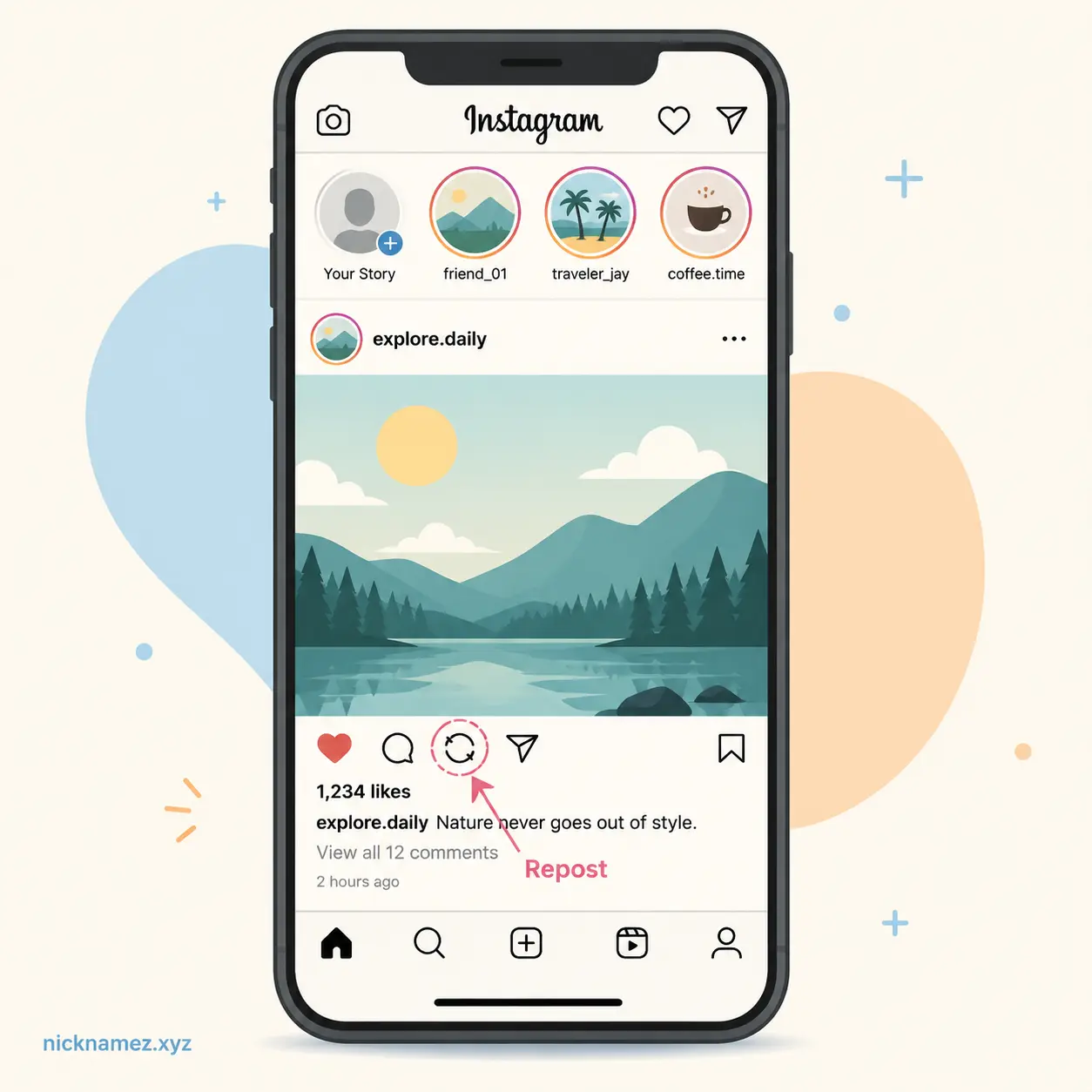
The button normally appears near the like, comment, and share icons under eligible posts or Reels. Depending on the version of Instagram you are using, the placement may vary slightly. Some users report seeing it beside the share icon, while others see it closer to the comments section.
Where The Circular Arrows Icon Appears
One reason people get confused is because the circular arrows icon does not appear everywhere on Instagram. The feature is mainly connected to public content that can legally and technically be reposted.
On Instagram Feed Posts
The most common place to see the icon is underneath public feed posts. If an account allows reposting, the circular arrows button appears alongside the heart, comment bubble, and paper airplane icons.
Tapping it gives you the option to repost the content directly to your audience. You may also be able to add a short comment or thought before reposting. Instagram essentially lets you “quote share” the content in a lightweight way.
This is especially common on meme pages, motivational posts, viral tweets turned into graphics, and relatable lifestyle content. These are the types of posts people naturally want to pass along publicly.
Inside Reels
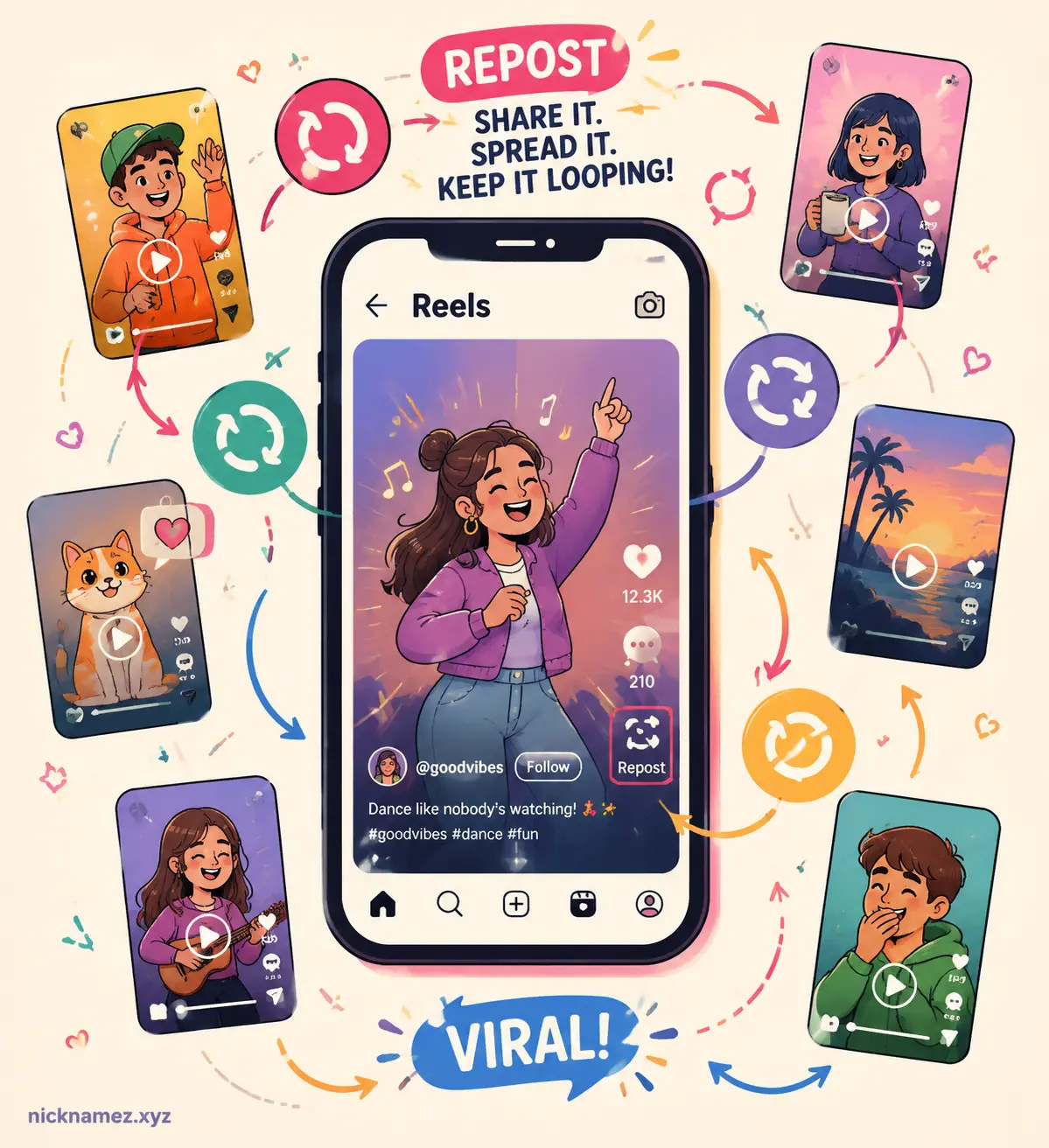
Reels are another major location for the repost icon. Since short-form videos dominate Instagram engagement today, reposting Reels became one of the feature’s biggest use cases.
Users often encounter the icon while scrolling the Reels feed. If they discover something funny, educational, emotional, or trendy, they can repost it instantly instead of saving it for later or sending it privately.
Many creators now intentionally design “repostable” content because reposts can significantly increase reach. Marketing experts even argue that repostability has become one of the strongest indicators of viral potential.
In Profile Reposts Tabs
Instagram also created a dedicated Reposts tab on profiles for accounts actively using the feature. This section stores reposted content separately from original uploads.
That distinction matters because Instagram wants reposting to amplify discovery without confusing viewers about who originally created the content. Your reposts exist as recommendations, not stolen uploads.
Some users only notice the tab after reposting content for the first time. Others report not seeing it at all due to staggered feature rollouts across accounts.
During Content Sharing
The repost feature may also appear during certain sharing workflows. For example, when tapping the repost icon, Instagram can prompt users to add commentary or context before publishing the repost.
This transforms reposting into something closer to a social endorsement. Instead of merely forwarding content privately, users publicly attach themselves to it.
What Action The Symbol Represents
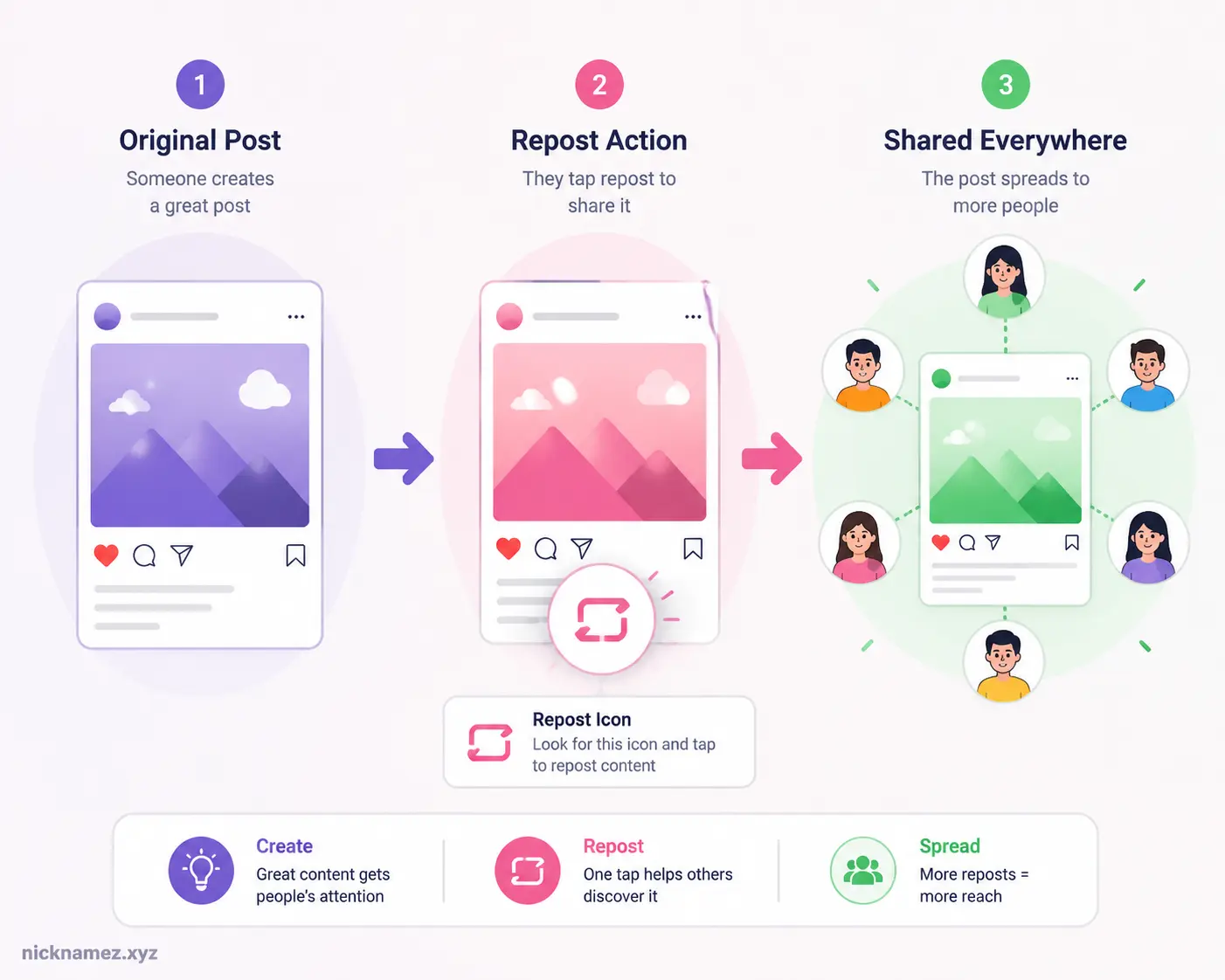
The circular arrows icon specifically represents reposting content publicly within Instagram’s ecosystem.
Reposting Public Content
When you tap the icon, Instagram republishes eligible public content to your audience while automatically linking back to the original creator. This is one of the biggest differences between reposting and simply uploading someone else’s media manually.
Instagram’s official repost system prioritizes attribution. The original creator’s name remains visible, and engagement signals still benefit the source account.
This approach helps reduce content theft while encouraging broader sharing. Think of it like lending someone your favorite book while keeping your name written on the cover.
Sharing Without Reuploading
Before the repost feature existed, users often relied on:
| Old Sharing Method | Main Problem |
|---|---|
| Screenshots | Low quality and no credit |
| Screen recordings | Time-consuming |
| Third-party repost apps | Security/privacy concerns |
| Manual reuploads | Risk of copyright issues |
Instagram’s repost icon eliminates most of those problems. Users can now share content with one tap while preserving creator attribution automatically.
How The Feature Affects Posts And Content Sharing
The repost feature is not just another small UI change. It actually changes how content spreads across Instagram.
Visibility And Reach
Reposts dramatically increase visibility potential. If someone with thousands of followers reposts your Reel, your content suddenly reaches audiences that may never have discovered you organically.
This is one reason creators became excited about the feature. Public reposting introduces a new discovery mechanism similar to retweets on X or reposts on TikTok.
Some marketing analysts believe reposts may become one of Instagram’s strongest ranking signals because reposts show deeper engagement than simple likes. A repost means someone considered the content valuable enough to attach to their own identity.
Creator Credit And Attribution
Instagram now emphasizes creator attribution more aggressively. In fact, the platform recently announced restrictions targeting low-quality content aggregators that repeatedly repost without adding originality.
That policy shift reveals Instagram’s long-term goal. The platform wants resharing, but it also wants creators protected. Native reposting supports both objectives simultaneously.
This is important for artists, educators, photographers, brands, and influencers. Instead of losing ownership when content spreads, they maintain visibility as the original source.
Engagement Changes On Instagram
The repost feature may also influence audience behavior psychologically. A repost acts like a public endorsement. Users become more selective because reposting says something about their personality or values.
Experts discussing repost culture often mention emotional drivers such as:
- Relatability
- Humor
- Identity
- Inspiration
- Social signaling
People repost content that reflects who they are or how they want others to perceive them. That emotional layer makes reposting more powerful than simple liking.
Situations Where Users Encounter The Icon Most Often
The circular arrows icon tends to appear more frequently in high-engagement areas of Instagram.
Viral Reels
Viral Reels are probably the most common place users notice the repost icon. Funny clips, motivational speeches, tutorials, relationship jokes, and trending audio videos often generate repost activity rapidly.
This creates a snowball effect. One repost leads to another, pushing the Reel further into recommendation feeds.
Meme Pages And Trend Accounts
Meme culture thrives on sharing. Meme accounts survive because users constantly pass content around socially. Instagram’s repost feature makes this process faster and more visible.
Instead of screenshotting memes and reuploading them poorly cropped, users can now repost directly while preserving original attribution.
Brand And Influencer Marketing
Brands and influencers also use reposting strategically. A fitness coach may repost a motivational workout clip. A fashion creator might repost a styling Reel from another influencer.
This builds community interaction while exposing audiences to related creators. Reposts can function almost like collaborations without requiring official partnerships.
Differences Between Similar Instagram Icons
Instagram has many icons that look somewhat alike, which explains why users confuse them.
Circular Arrows Vs Paper Airplane
The paper airplane icon represents private sharing through DMs or Stories. The circular arrows icon represents public reposting.
| Icon | Meaning | Visibility |
|---|---|---|
| Paper airplane | Send/share privately | DMs or Stories |
| Circular arrows | Repost publicly | Followers and repost tab |
The difference is massive. Sending content privately is like whispering a recommendation to a friend. Reposting is like grabbing a microphone and announcing it publicly.
Circular Arrows Vs Save Bookmark
The bookmark icon simply saves content privately to your collections. Nobody else sees it.
Reposting, on the other hand, actively distributes the content publicly.
Circular Arrows Vs Remix Features
Instagram Remix allows users to create new content using someone else’s Reel. Reposting does not alter the original content. It simply redistributes it.
Think of Remix as making a duet song, while reposting is recommending the original song itself.
Troubleshooting If The Feature Is Not Working
Many users cannot find the repost icon or notice it disappearing randomly.
Why The Repost Button May Be Missing
There are several possible reasons:
- Your app version is outdated
- Instagram has not rolled out the feature to your account yet
- The post comes from a private account
- The creator disabled reposting
- Your region received delayed rollout access
Feature inconsistency has become one of the biggest complaints surrounding reposts. Many Reddit users reported seeing the feature on alternate accounts but not on their main accounts.
Fixes That Usually Work
Here are the most common fixes:
| Problem | Possible Fix |
|---|---|
| Missing repost icon | Update Instagram |
| Reposts not loading | Clear cache |
| Feature unavailable | Log out and back in |
| Icon disappeared | Reinstall app |
| Limited functionality | Wait for rollout updates |
Instagram frequently tests features gradually, meaning not every account receives updates simultaneously.
Account Restrictions And Privacy Issues
Private accounts generally cannot have their posts reposted publicly. This protects user privacy and prevents unauthorized distribution.
Instagram also allows creators some control over whether reposting is enabled. If you cannot repost a specific post, it may simply be restricted by the original creator.
Key Things To Know About Instagram’s Repost Symbol
The repost icon is more than just a cosmetic feature. It represents Instagram’s broader transformation into a discovery-focused platform.
Important Tips Before Using It
Before reposting content, keep these points in mind:
- Always respect creator rights
- Avoid spam reposting
- Add meaningful commentary when possible
- Repost content relevant to your audience
- Understand that reposts reflect your online identity
Instagram’s algorithms increasingly value authenticity. Randomly reposting dozens of unrelated posts may actually hurt engagement quality.
Future Of Instagram Sharing Features
Instagram will likely continue expanding repost functionality. Social media trends increasingly favor collaborative discovery instead of isolated posting.
Platforms today behave more like ecosystems than personal galleries. Content moves fluidly through networks, communities, and audiences. Reposting supports that evolution perfectly.
Some experts believe repost metrics could eventually become as influential as likes and comments for measuring content quality. Considering Instagram’s recent updates, that prediction seems realistic.
Conclusion
The arrows in a circle on Instagram represent the platform’s official Repost feature, allowing users to publicly share someone else’s post or Reel while still crediting the original creator. The icon typically appears beneath public feed posts and Reels, giving users a faster and more transparent way to spread content across Instagram.
This feature changes how content travels online. Instead of relying on screenshots, manual uploads, or third-party repost apps, Instagram now provides a native sharing system that prioritizes visibility and attribution together. Creators gain broader reach, audiences discover new accounts more easily, and reposting becomes part of modern Instagram culture.
The circular arrows icon may look simple, but it represents a major shift in Instagram’s strategy. Social media is no longer just about creating content. It is also about curating, amplifying, and recommending content publicly. Understanding how reposting works helps users navigate Instagram more effectively while taking advantage of one of the platform’s most influential engagement tools.
FAQs
Does the circular arrows icon mean someone reposted my content?
Yes. If someone taps the repost icon on your eligible public content, they can share it with their followers while your original account remains credited.
Can I turn off reposting on Instagram?
In some cases, yes. Instagram may allow creators to limit repost permissions depending on account settings and post privacy options.
Why do I not see the repost icon on Instagram?
The feature may not be available for your account yet, your app might need updating, or the original post may not allow reposting.
Is reposting the same as sharing to Stories?
No. Story sharing is temporary and usually uses the paper airplane icon. Reposting creates a more public and lasting recommendation connected to your account.
Does reposting help Instagram engagement?
Yes. Reposts can increase reach, visibility, and discovery because they expose content to new audiences beyond the original creator’s followers.

American content writer and blogger based in Boise, Idaho, age 29. Dorian specializes in creating well-researched digital content focused on lifestyle, technology, and online resources. With several years of professional writing experience, he is known for translating complex topics into practical, reader-friendly articles. He regularly contributes editorial content for nicknamez.xyz while emphasizing accuracy, transparency, and trustworthy research.